7-iron · Takeaway
“Right knee in.
Stable right leg.”
A personal takeaway cue
Your personal golf agent
Turn a feeling into a card you can use. Talk or type with Golfet to refine your cues, review the changes and keep the words that work for you.Talk or type. Refine your cards with Golfet. You approve every change.

Golfet Example
Your card, in your words.
A clearer cue for your next shot
Shorten my takeaway cue. Keep my right leg stable.
Here’s a shorter version. Review it before saving it to your card.
“Right knee slightly in.”
Turn over a stable right leg.

An illustrative edit. You decide what to keep.

Your own words.
Your own cues.
Your game.

01 / Your own words
A small pause. A lighter grip. A shot that felt right. Tell Golfet what you mean, even if the words are rough. Refine them together into a card that still sounds like you.
See the conversation
02 / Edit with your agent
Open a card and tell Golfet what to change. Type, dictate a message or talk it through by voice. Ask for a shorter cue, a clearer structure or a detail you want to add. Review the proposal, then approve or reject it.
Inside GolfetA real 7-iron cue. Three simple steps.
Your own cues, ready before the next shot.
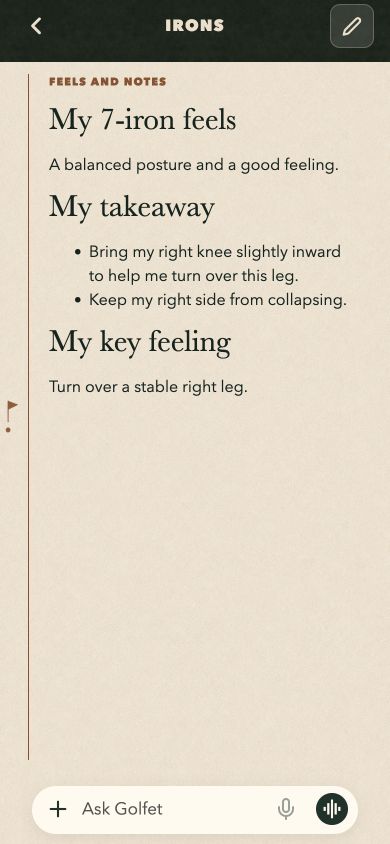
A shorter takeaway cue. The same feeling.

See what changed. You have the final say.
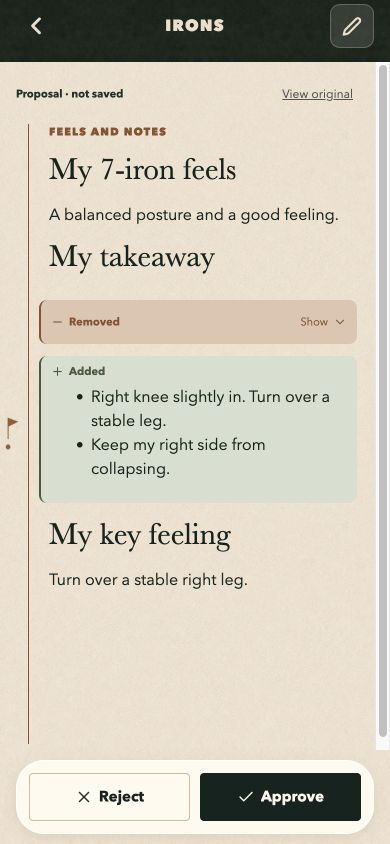
Swipe to follow the edit · Based on real 7-iron cues. Illustrative agent edit. Tap a screen to enlarge.
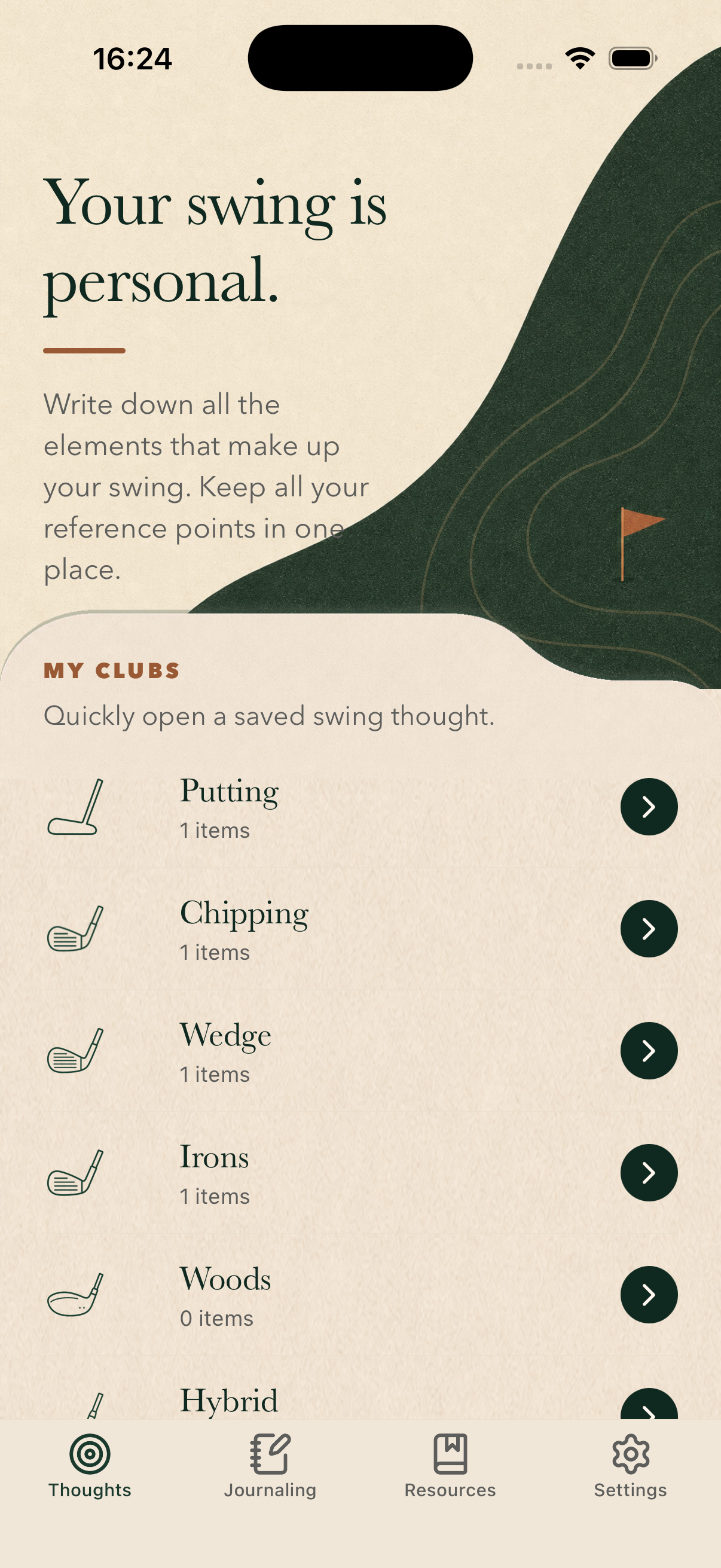
The Golfet app · Your cues by club
03 / Your cards · Available now
A feel for your irons. A touch around the green. A thought for your putting. Give each one a place in your game.
Start with a rough idea, type a request or dictate it. Ask Golfet to clarify, shorten or organize your words into a card.
Talk to the agent from your card. Add a detail, adjust a cue or ask for a new version. Read the highlighted changes before you approve them.
Your cards stay organized by club and swing phase. Keep your photos, videos and useful links alongside the words you want to remember.
Personal cues could sound like this
7-iron · Takeaway
A personal takeaway cue
Wedge · Chip
From short-game practice
Putter · Long putt
From the practice green
The 7-iron example uses a real personal cue. Other cards are illustrative.
04 / As your game changes
A cue can change after a lesson or a good session. Open your card, explain what feels different and work on the wording with Golfet.
The agent proposes. You choose what becomes part of your card.After your next lesson
“Add that I want a lighter grip. Keep the rest as it is.”
Ask for a focused edit without rewriting the whole card. Review the proposal and keep your coach’s advice in the words that make sense to you.
See how approval worksOpen a card and use Ask Golfet to explain what you want to change. You can type, dictate a message or start a voice conversation. Ask it to shorten a cue, add something you learned or make your notes easier to read. A proposal appears on the card with the changes highlighted.
No. For an existing card, you review the proposal and tap Approve to save the change, or Reject to keep the original. You can also ask for another version. When writing a new card in the editor, accepting a proposal adds it to your draft; you then save the draft.
Yes. Type your request or dictate a message, check the text and send it when you’re ready. A live voice conversation is a separate option. You choose when to start the microphone.
Yes, in the Golfet app on iPhone and iPad. Use the latest App Store version and sign in to use AI assistance. The conversation on this website is an illustrative example, not a live call.
Keep your coach’s advice alongside your own sensations and observations. Golfet gives you a place to revisit those cues between lessons. It does not automatically analyze your swing or replace your coach’s assessment.
Yes. You can keep your photos, videos and useful links alongside your cues, so the right movement or drill is there when you need it.
Golfet is available on iPhone and iPad. Check the App Store listing for compatibility, pricing and any in-app purchases.
Your next session starts here
Your cards, your journal, your agent.
Available on iPhone and iPad.
 Edit your cards with Golfet by text or voice. Review every change.